








Events

A self-service platform to manage all your digital marketing campaigns for events from one place, optimizing for key event promotion metrics
Ad creation and optimisation in second
Get better tracking and automate time-consuming tasks without compromising performance
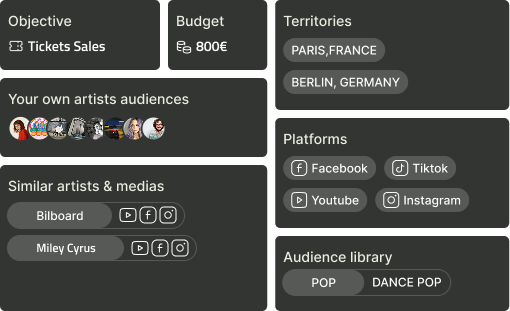
Advanced event targeting
Advanced targeting
in few clicks
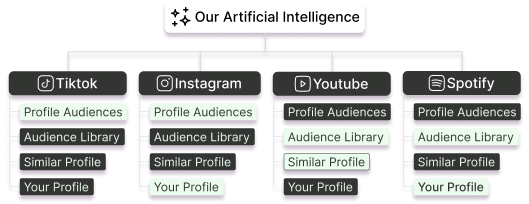
Optimisation par intelligence artificielle
Increase ROI +60% thanks to our proprietary models
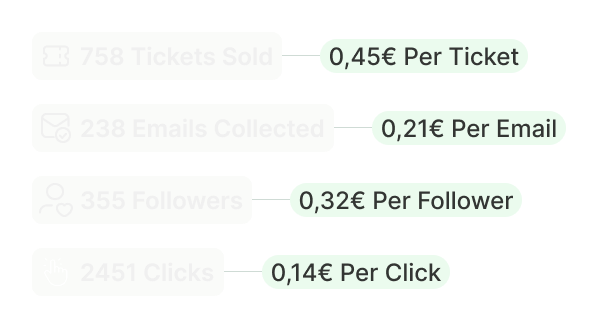
Track music event related metrics
Track real costs. Decide better
Our clients
Case Studies
Review campaign outcomes produced using our tool
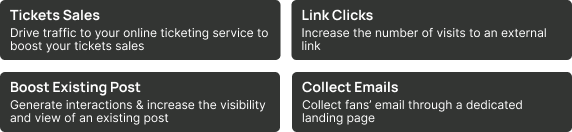
Set up event related objectives
Launch ads to promote your next event, boost tickets sales, collect emails and grow your audiences
Talk to sales
Event objectives
Simplified audience management
Simplified artist audience management
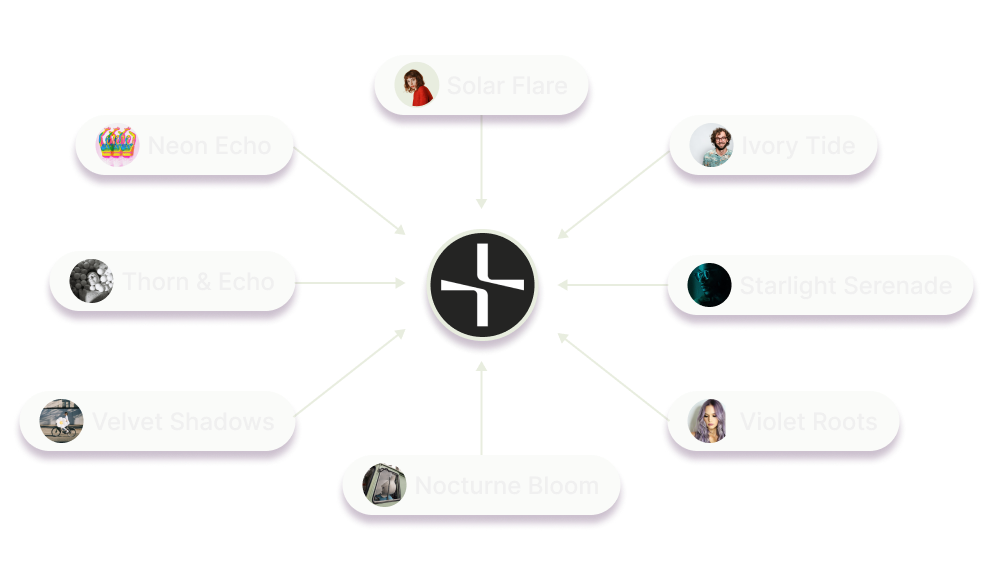
Connect the pages of artists taking part in your events in one click
Talk to sales
Integration with ticketing platforms

Testimonials

Hear directly from our clients about their experiences and the impact our technology has had on their operations
quote
Thanks to Ctrl+Reach, we save valuable time setting up our campaigns—the setup is fast and seamless. We also have better ROI tracking thanks to the clear audience breakdown, which helps us optimize our results. Finally, the tech support is super responsive, allowing us to launch our campaigns without any friction.
Paul Ciamporcero
Head of Communication & Ticketing

Pricing

Enterprise
Schedule a meeting with one of our sales representatives
to discuss your needs and receive a tailored proposal.

Frequently asked questions

What should I do if I’m facing an issue when launching my campaign?
Arrow

To pay, simply recharge your wallet in the billing section. We accept Visa and Mastercard. For additional payment methods, please contact our support team.

Can I access the app on my phone or tablet?
Arrow

The Y2M application is accessible using a phone or tablet. From these devices, you’ll be able to access your entire dashboard, as well as all your campaign results. However, launching campaigns from mobile devices is not currently supported. We therefore invite you to use your laptop to launch your campaigns in the best possible conditions.

How do I pay?
Arrow

To pay, simply recharge your wallet in the billing section. We accept Visa and Mastercard. For additional payment methods, please contact our support team.

What is “commission on ad spend”?
Arrow

If you encounter an issue when launching your campaign, contact our expert customer service team anytime. Just click on the purple button located at the bottom right corner of the app.

What if I have any others questions?
Arrow

Reach out to our support team by clicking on the purple button located at the bottom right corner of the app.